Showing posts with label WordPress Theme Development. Show all posts

Monday, 6 March 2017

Use plugins to remove the Author & Date info from WP posts

By default, most of the WordPress themes will display a set of metadata on the blog posts published in the past. This usually includes at least the author name and the date on which the post was published. This information is useful for the readers but sometimes there are certain instances where the blogger might want to delete or update this information.

In this article, you would be reading about how Wordpress theme development can sort out this process. There are two different ways which would help you in this situation: Using a dedicated plugin or doing it manually by tweaking by your current theme files. If you don't have much technical know-how, hire a skilled & knowledgeable WordPress developer who will help you accomplish this process.

How to remove Author & Date information using a Plugin


If your theme doesn't have a Divi's functionality, you can take help of the plugin. The following two plugins which will assist you in this task. Both these offer slightly different functionality, so you can choose the one that best suits your needs.

1. WP Meta and Date Remover

This plugin enables you to remove both the author and date information from all the of the posts that too in one go. Once the plugin is installed & activated, all the meta info is automatically removed. It uses two methods to remove the data: hiding it from the front-end by using CSS and then removing it from the backend via PHP.

Key features:

Gets installed quickly and easy to setup.

Hides information from both the front & back ends.

Price: FREE


2. WP Old Post Date Remover


The plugin is specifically designed to remove date information only. This plugin comes in handy if you have lots of evergreen content or a website which is not updated regularly. If you like to keep the date only on the newer posts, you can choose the number of days you want the date to be displayed for.

Key Features:

Easy to install & quick to set up

Comes with an option to display the date on newer posts.

Price: FREE

How to Remove Author and Date Information Manually

1. Add CSS Using Jetpack


If you install Jetpack, then you can gain access to the Custom CSS tab where you can add the relevant code. But first, you need to activate the tab present in the Jetpack “Settings” screen. In your dashboard, select Jetpack, choose “Settings”. This would result in opening a new screen where you have to select “Appearance” tab and the scroll down to the Custom CSS button.

2. Delete Code From Your Theme’s Files

Another option is to delete the lines entirely from your theme files. While making the edits to your theme files, using the child theme and backing up your site prior to making changes. It's also good to ask your theme author which files contain the author and date information.

Summing Up


The above-mentioned points will help you in removing the Author and date information from the existing blog posts.

Monday, 26 December 2016

How To Reveal The Theme Of Any WordPress Website?

Nowadays, the Internet is brimmed with awe-inspiring themes that are perfect to represent the brand and speak for its goals. So, it is quite common that website owners browsing the web come across some themes that they just can’t get over. In this case, all they want to know is what the theme is and who is the author.

If you are looking out for a theme for your website, you would certainly check-out the themes used by WordPress websites of the same category. With the advancements in WordPress theme development, you will come across some amazing themes and would certainly wish to have that for your website. So, the obvious next step is to find out what the theme is.

In order to discover such kind of information, you would need either the assistance of some third party websites or the web browser extensions. One more feasible alternate is to look for the source code of the WordPress website and search the Internet for it.


What Theme

This is a new web based service which helps the Internet surfers figure out the WordPress themes used in some of the popular websites. It also lets you know if the theme is commercial or not. When you search for a WordPress website using What Theme, it checks for the catalog and gives you all the information it can fetch. Presently, it supports Joomla and Drupal and Joomla and will include more content management systems in near future.

WP Theme Detector

WP Theme Detector is yet another website which can help you track down the theme you are impressed with. The search results are more than just the theme name and the author’s name and you get relevant information regarding the theme. The website also keeps a track of WordPress websites checked in the past. In case the theme has been changed or modified from the last time you checked it, the website will notify you of that as well.

WordPress Theme Search

WordPress Theme Search is a wonderful tool which allows you to enter the URL of any WordPress based website. Once you enter the URL, it will show you all the details of the website. WordPress theme search takes a step further by trying to find out the authors of the theme apart from just identifying the theme.

If the website you are considering is using any proprietary theme, WordPress theme search reports that as well. This is a good option to finding out the custom theme you wish to buy in future. The website report will let you know if whether the theme is free to use or you need to pay for it.

Wednesday, 23 November 2016

How A Custom WordPress Theme Procures You A Unique Online Identity


As soon as you initiate your online venture, you must always consider the importance of a customized WordPress theme design. Incorporating a custom theme on your website works as a magnet to attract more visitors. This is highly beneficial, especially if it is a business website.

WordPress is the most popular blogging platform known today. Along with serving as a primary tool for blogging, the platform features wonderful functions like custom Wordpress theme development and much more. There is more than an individual can use to optimize their online website. WordPress is undeniably the best Content Management Systems available today. Most of all, the powerful system is very easy to use and you will never have any issue in uploading new content, all by yourself.


In addition, WordPress CMS has already been proven and tested by a lot of users from around the world. There are many good reasons as to why most of the website owners prefer WordPress in comparison with other content management systems. The primary reason for website owners opting for WordPress is because they always strive to deliver the best services in the field.

Generally, a business owner can simply choose from the diverse WordPress theme designs and layouts. But the concern is that the designs are already being used by thousands of websites. So, you can hire WordPress developer and save yourself from this glitch. This is a big step towards achieving a unique identity on the internet. The customization process will be undertaken by the developer you hire. By achieving an all-exclusive website, you will be able to make a mark on the customers and keep the brand reputation strong against your competitors. Always remember that it is the distinguishing identity that would ultimately help you flourish your online presence and enable better returns.

Applying an apt WordPress theme can sometimes be a bit of a trouble, especially if you have made a lot of modifications in your site content. Although it is ease to take care of in most of the cases. Yet, you can consult the developer you hire for the best results. Getting a professional to get the job done can help save you a lot of time and relieve you from unnecessary efforts. Once you narrate your requirements to the developer, you can see that you are getting exactly what you are looking for. Moreover, you can always pool in your thoughts whenever necessary.

As soon as you utilize your custom WordPress theme development, you can count yourself among the most visionary webmasters. The level of uniqueness you get from a custom development is incomparable to any other WordPress theme out there. Some major features that custom templates offer are customizable header, color scheme, background display, icons, buttons, navigation, control keys, and overall layout.

Thursday, 27 August 2015

WordPress 4.3 is Here: What All You Need to Know?


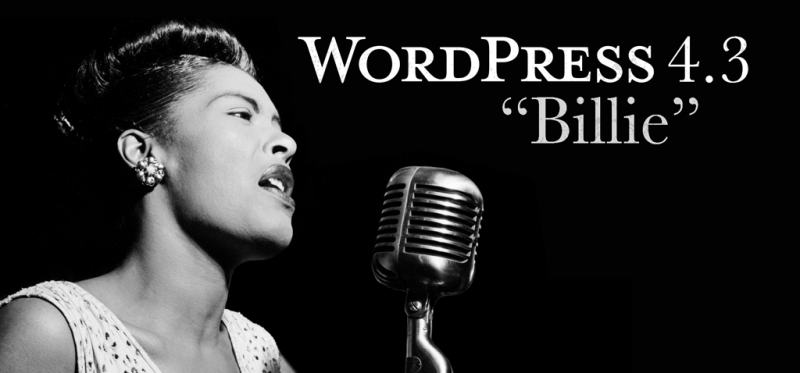
If you are a WordPress user, then you will be happy to know that the new WordPress version 4.3 has been released. The version is named after an admired Jazz singer, “Billie Holiday”.


WordPress “Billie” introduces some exciting changes that will make the process of formatting the content of a WordPress site and customizing the site a lot easier. Let us now have a quick glimpse of the major features that the new version brings about:

Menus Have Been Added to the Customizer


With each new WordPress release, small improvements are introduced to the Customizer. And with version 4.3, you will be able to create, update and assign menus and can preview them in real time. However, you can still use the traditional way of creating navigational menus. But, thanks to the new improvement, creating and managing menus has become easier and faster. So, if you have been taking up WordPress Theme Development, and want to streamline the navigational structure of the theme, the new menu addition in the Customizer will help you achieve such need in the best possible manner.

Help Create Better Passwords

When it comes to hardening the security of a WordPress site, creating strong passwords is one of the recommendations that you'll probably hear every now and then. However, WordPress wasn't much concerned about user passwords. But, the new version introduces a new approach towards maintaining users’ password security. It gives suggestions to users about creating strong passwords, at the time of setting up a WP install and changing the password.

Rather than receiving the password through email, from the new version onwards, you will be getting a password reset link. Whether you are adding some new users, or editing any existing user profile, WordPress will auto-generate a secure password for you.


Favicon (or Website Icon)


Users often forgot to add website icons (also referred to as favicon) from the admin dashboard screen in the previous WordPress versions. However, the new version of WordPress “Billie” resolves such an issue, as it comes with a built-in option that will allow you to add an icon (or favicon) directly from the customizer. This is a huge benefit for users involved with WordPress site development projects, as they cannot only customizer their theme layout from the customizer, but will be able to apply a favicon as well.

Formatting Shortcuts

 Have Been Introduced in The Editor

Now writing in WordPress will become even better and faster, thanks to the introduction of new formatting shortcuts in version 4.3 of WordPress. Some of these shortcuts are:
  • You can choose to use asterisks (*) for creating a bulleted list.
  • Use numbers such as 1. or 1) for the numbered list. 
  • Create a heading using the number sign (#). For example, use ## for H2, ### for H3 and so on.
  • Transform your text into blackquote using the greater sign '>'. 
  •  

A Few Other Improvements:

  • In WordPress version 4.3 editor section, at the time of linking the text to an URL, you will be able to view a “link preview wizard” under the linked text.
  • Improvement has been made to the word count style in the newest version of WordPress, which will now get updated when the user stops writing. You no longer will have to click on the “Enter” button to make the updates to the word count style.
  • In the latest version of WordPress, comments on the page will be “turned off” by default.

Wrapping Up!

Whether you are just a WordPress developer or a user , you should not ignore getting to know about the latest WordPress version 4.3, and the features it offers such as the ones discussed above.