Showing posts with label technology. Show all posts

Thursday, 1 June 2017

Is it good to outsource the WordPress theme and plugin development?

WordPress is a part of web development sphere since 2003 and within just 14 years, WordPress has been able to take up 35% of the market share. At present, WordPress is powering a numerous number of websites and blogs, which are live on the World Wide Web. The primary reason behind the insane popularity of WordPress is its simple interface, robust backend codes, plugins, and themes which offer a myriad range of customization options to the users.

The WordPress directory contains a good amount of plugins and templates that allow users to modify their site as per their needs & requirements. With WordPress, you would get an endless number of customization options. The WordPress plugin development is currently one of the most popular services in the web development sector. The initial setup of WordPress is also quite simple and you don’t have to do much to install it.
The setup process of WordPress requires no technical expertise; even a person with no knowledge of coding & web development can also install WP on his computer. Once the person is acquainted with its interface, he can quickly tweak any setting or functionality present in its interface. You can get familiar with WordPress within 2-3 days. You can change page displays, add new pages, add/remove content and modify menu structure in few minutes.

All you need to do is to search for WordPress web development services provider who will help you in this whole process. Compared to other content management systems available in the market, WordPress is the best one, to begin with. If everything is so easy in WordPress, then why there’s a need to outsource the WP development projects?

The primary reason to send your WP projects to an offshore company is that you are not able to find a skilled developer at your native place or don’t have prior knowledge to the WordPress, then it becomes essential to facilitate services of specialists who are capable of handling all sorts of WP development projects.
 
WordPress Theme Development:

The Theme determines how the website will appear to the users. WordPress template package consists of controls, design structure and the overall look & feel of the site. At present, there are thousands of free themes available in the WordPress directory which enable users to make their portal accessible visually appealing.

WordPress Plugin Development:

Plugins are short codes which enable users to add an extra set of functionality in their WordPress powered website. With the help of these plugins, you can add features such as security, SEO, mobile compatibility and much more. Just like themes, you can also opt for custom plugin development services offered by any famous WordPress development or customization agency.

Summing Up

Before you roll out your project to any offshore WordPress development agency, make sure your conduct a complete background check. Ensure that you hire someone who not only possesses 4-5 years of industry experience but also has latest tools & techniques which enable them to offer best in class services that too in a short span of time.

Wednesday, 9 September 2015

Tips To Ensure That You Have An Adept VA For Your Web Development

If yours is an entrepreneurial business, Virtual Assistants (VAs) can help you boost your business. They can make your job amazingly simple by taking care of several tasks and thus, allowing you to concentrate over other essential that can lead to your enterprise growth. For instance, they can help manage calendars, an array of emails, handle campaigns to make sure that everything is working smoothly.

No doubt VAs can augment the website development process, but there are some crucial areas that must be dealt with utmost precision and thus, demand expert guidance. You can't simply hand over the sensitive controls to your VAs without getting yourself involved in them. However, by investing in some result-driven WordPress web development services, all the concerns related to web development will be managed by professionals. The adept WordPress developers can, thus, deliver a prolific web solution that can boost your business values.

Although, VAs are not that experienced to handle the crucial web development processes or maintain a business site, many business owners ask their VAs to put up a requisite website. The only apparent reason for this could be that this makes a cost effective way or enterprises want someone from their team to accomplish it.


For the folks who really want to put the responsibility of their website on their VA, it is essential to kick around and ensure that the chosen VA is appropriate for the job. Here I have enlisted a list of questions that can help you analyze the capabilities of your VAs and streamline your choice accordingly.
  • Are they capable enough to analyze and create a chart to represent insights of target market, so that your target audience will be clear. Thus, a site can be designed keeping them in mind.
  • Do they have branding and graphic design skills? Do they know the absolute way for optimizing images so that images can be instantly downloaded from any device?
  • Do they know about the latest web trends and have insights to choose the best suitable layout that can leverage your target market and business?
  • SEO is quite essential, Do they know how to achieve a search engine optimized website?
  • Do they possess any programming skill so that if something went wrong that can be handled and fixed appropriately? Other than the premium products, if any custom design is required, would they be able to customize your site without leaving the quality behind?
  • Do they know how to turn a site into a responsive site so that your business can reach myriads of devices with a flair.
  • If they are writing content for the web, do they aware of the ground rules of copywriting?
  • Do they belong to marketing field? If yes, what is their education and how many years of experience do they have in the field? Is it sufficient for your business.
  • Do they know about all kinds of feature and functions that can be integrated to deliver an enhanced website? Are they aware of a few plugins for particular categories?
  • Are they aware of other CMS platforms that can offer a superior experience than WordPress (like is Magento is better than WordPress if you want to develop an eCommerce website)?

If you get positive response for all the aforementioned questions, your chosen VA is ideal for developing your enterprise website. Otherwise, it is advisable to hire WordPress developer and reap the benefits of this blissful platform.

There are numerous web development companies that offer invaluable development services at competitive prices. Therefore, you can easily seek one that best suits your project needs and business objectives.

Thursday, 27 August 2015

WordPress 4.3 is Here: What All You Need to Know?


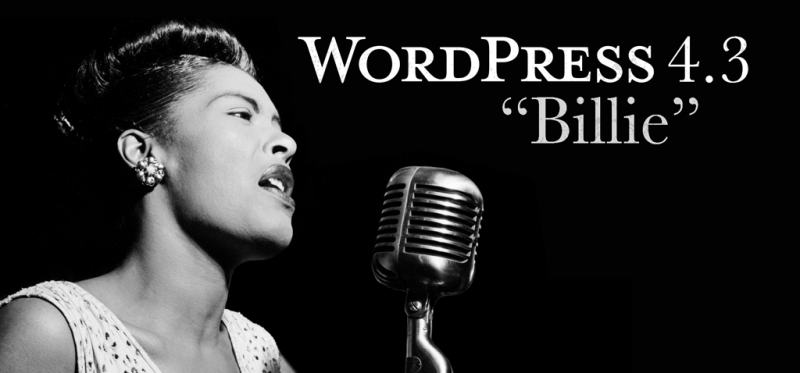
If you are a WordPress user, then you will be happy to know that the new WordPress version 4.3 has been released. The version is named after an admired Jazz singer, “Billie Holiday”.


WordPress “Billie” introduces some exciting changes that will make the process of formatting the content of a WordPress site and customizing the site a lot easier. Let us now have a quick glimpse of the major features that the new version brings about:

Menus Have Been Added to the Customizer


With each new WordPress release, small improvements are introduced to the Customizer. And with version 4.3, you will be able to create, update and assign menus and can preview them in real time. However, you can still use the traditional way of creating navigational menus. But, thanks to the new improvement, creating and managing menus has become easier and faster. So, if you have been taking up WordPress Theme Development, and want to streamline the navigational structure of the theme, the new menu addition in the Customizer will help you achieve such need in the best possible manner.

Help Create Better Passwords

When it comes to hardening the security of a WordPress site, creating strong passwords is one of the recommendations that you'll probably hear every now and then. However, WordPress wasn't much concerned about user passwords. But, the new version introduces a new approach towards maintaining users’ password security. It gives suggestions to users about creating strong passwords, at the time of setting up a WP install and changing the password.

Rather than receiving the password through email, from the new version onwards, you will be getting a password reset link. Whether you are adding some new users, or editing any existing user profile, WordPress will auto-generate a secure password for you.


Favicon (or Website Icon)


Users often forgot to add website icons (also referred to as favicon) from the admin dashboard screen in the previous WordPress versions. However, the new version of WordPress “Billie” resolves such an issue, as it comes with a built-in option that will allow you to add an icon (or favicon) directly from the customizer. This is a huge benefit for users involved with WordPress site development projects, as they cannot only customizer their theme layout from the customizer, but will be able to apply a favicon as well.

Formatting Shortcuts

 Have Been Introduced in The Editor

Now writing in WordPress will become even better and faster, thanks to the introduction of new formatting shortcuts in version 4.3 of WordPress. Some of these shortcuts are:
  • You can choose to use asterisks (*) for creating a bulleted list.
  • Use numbers such as 1. or 1) for the numbered list. 
  • Create a heading using the number sign (#). For example, use ## for H2, ### for H3 and so on.
  • Transform your text into blackquote using the greater sign '>'. 
  •  

A Few Other Improvements:

  • In WordPress version 4.3 editor section, at the time of linking the text to an URL, you will be able to view a “link preview wizard” under the linked text.
  • Improvement has been made to the word count style in the newest version of WordPress, which will now get updated when the user stops writing. You no longer will have to click on the “Enter” button to make the updates to the word count style.
  • In the latest version of WordPress, comments on the page will be “turned off” by default.

Wrapping Up!

Whether you are just a WordPress developer or a user , you should not ignore getting to know about the latest WordPress version 4.3, and the features it offers such as the ones discussed above.

Wednesday, 17 December 2014

How to Improve Your WordPress Website's Security?


Almost every person directly or indirectly associated with the web industry is aware of the popularity of WordPress as a blogging platform and a CMS. In fact, some of the most popular websites are powered by WordPress. However, because of the immense popularity of WordPress it becomes the target of hackers' attacks.

So, if you don't want to be deterred by the security risks that you might have to face while running a WordPress site, it is recommended to go through the below mentioned tips that will help you to get rid of WordPress security risks:

1. Choose a Secure Web Hosting Provider: 

All the web hosting service providers are not the same, in fact, they may not provide required protection from attacks by hackers. Thus, when opting for any hosting provider during the preliminary registration process you will have a chance to know who will be administering your site. Besides this, try to find out whether your web host use a reliable clustered firewall; do they backup their customer's site? and so on.

2. Update Everything in Your Website: 

Since WP powered sites are susceptible to vulnerabilities, new updates are released to fix any patches that users might have stumbled across when using a WordPress site. Most importantly, make sure to update all your site's plugins and themes. If you can't identify how to keep your site up-to-date, it is advisable to employ WordPress web development services offering website upkeep and maintenance.

3. Use Two-Factor Authentication: 

Another great way to protect your site from security risks is to make use of two-factor authentication, a security process that requires users to provide two means of identification to log into the site. This process can be used for both WordPress(.com) as well as self-hosted sites.

4. Use Strong Passwords: 

Not many site owners pay desired attention to using strong passwords for their site. In fact, according to an online research conducted by info-graphics nearly 8% of WordPress sites are attacked because of using weak passwords. Therefore, make sure to change your password to something that's difficult to crack. Ideally you should use a long password to strengthen your password security.

5. Avoid using “admin” as Username: 

 One of the most common mistakes that site owners make is using “admin” as their site's username. This often results in launching brute-force attacks on a WordPress site. And thus, make sure to create a username that's less obvious.

6. Keep a Back Up of Your Website: 

In your worst case scenario, when your site is somehow hacked despite following good security practices, you can run your site backup and make it up and running in no time. Make sure to keep a backup of your site on regular basis. You can hire WordPress expert to get the job done. But in case, you want to perform the task on your own (i.e. learn how to back up your site), you can refer to WordPress Codex to obtain required resources to get assistance.  

To conclude, if security of your WordPress site has been a concern for you, then abiding by the aforementioned simple tips will certainly help you eliminate some of the potential security risks.

Wednesday, 19 November 2014

WordPress Developers: Your Best Bet For Performing WordPress Integration

If you have been using WordPress for a while now, then you most likely would have witnessed increase in the demand of WordPress CMS. Whether you want to build a blogging site or any CMS-enabled website or portal, WordPress has helped meet all our needs with efficiency. As time passes by, more and more website owners are integrating WordPress into their site.

However, WP integration is not a cakewalk and rather requires technical expertise and skills. So, in case you're not a tech-savvy guy it is better you should look forward to adopting WordPress web development services of some reputable web development company, which includes WordPress integration. Finding the right development partner for your project will enable you to integrate WordPress features and functionalities into your existing website in a mind-boggling way. That's because, they are well-versed with all the nitty-gritty aspects related to equipping your site with WordPress CMS.

Since, integrating WP functionalities into your site isn't an easy thing and requires specialized knowledge, make sure that your choice of development company is capable enough to meet all your project demands. Here are a few key points that you should pay attention to while employing a development partner for your project:

Figure Out Your Exact Needs:
Before beginning your quest to look for the right service partner, it is important to know what you really need. This is because, building a website does not necessarily entails hiring a developer. For instance, when you are merely publishing information about your company you might need to seek professionals assistance. However, when you have some crucial tasks to take care of that requires coding, it's better to search for a developer if coding isn't your thing. But, make sure you know about – what you want to build.

Technology Prowness:
In order to get assured WP integration services it is very important that your service provider is well versed with all the ins and outs of the WordPress content management system. A viable way to check out the prowness of your service provider is to conduct a mock test related to WordPress integration and customization. This will help you get an idea of your developers experience and skills.

Design and Development Skills:
This is the second most crucial aspect that helps you choose the most suitable firm for your project. When you are employing any developers belonging to a web development company, make sure they possess good design and development skills in PHP, MySQL, HTML5, JavaScript etc.

Wherewithal to Manage WordPress Install:
You may be able to integrate  WordPress CMS into your website effortlessly, however managing it requires plenty of work. And so, ensure that the developer you're about to recruit contains experience and expertise in the installation, configuration and management of the WordPress install.

Besides considering all the aforementioned points, make sure to communicate all your project requirements to your development partner clearly. Not communicating your needs with your selected development company, will most likely unable developers to deliver the services in a productive manner.